
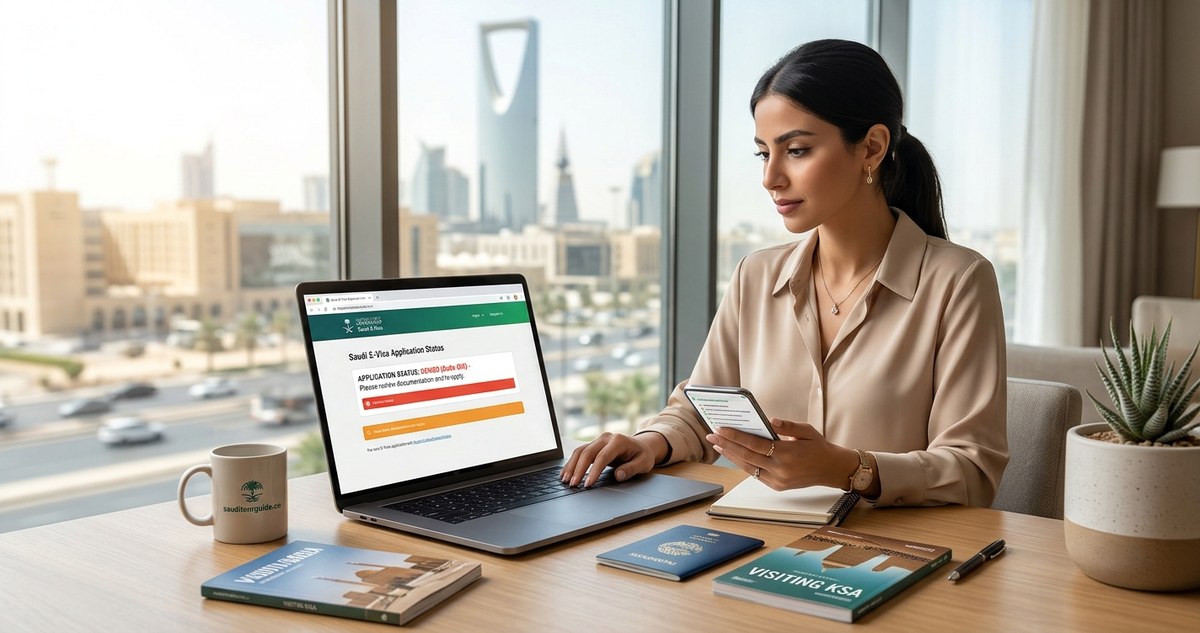
You filled out the Saudi e-Visa form. You double-checked your passport number. You hit submit. And then the screen went red. Or worse, you got an email days later that said “rejected.” That sinking feeling in your stomach is real, and you are not alone. The Saudi e-Visa system is modern, but it still trips up travelers every single day. The good news? Almost every rejection or error has a fix. You just need to know where to look.
Most Saudi e-Visa failures come from five simple mistakes: mismatched passport names, blurry photos, wrong visa type, expired passport validity, or payment glitches. This guide walks you through each error, tells you how to fix it, and shows you exactly when to reapply or contact support. You can solve this today.
Why Your Saudi E-Visa Application Got Rejected
The Saudi e-Visa portal is automated. That means a computer scans your application and flags anything that looks off. It does not think. It just compares your answers against strict rules. If something does not match, the system kicks it out.
Let us break down the most common reasons for a Saudi e-Visa application failed troubleshooting scenario. Read each one carefully.
Passport name does not match
This is the number one cause of rejections. Your name on the application must match your passport exactly. No middle initials if your passport has a full middle name. No shortened nicknames. If your passport says “Robert Michael Smith,” you cannot write “Robert M. Smith” or “Bob Smith.” The system compares every letter.
Photo requirements not met
Saudi Arabia has specific rules for visa photos. The photo must be on a plain white background. You cannot wear glasses. No shadows on your face. No hats or head coverings unless for religious reasons. If your photo has a colored background, the system will reject it.
Visa type selection error
There are different e-Visa categories. Tourists, business visitors, and Umrah pilgrims each have their own application. If you selected the wrong type, your application will fail. For example, if you applied for a business visa but you are actually going on vacation, the system may flag it.
Passport validity too low
Your passport must have at least six months of validity remaining from your date of entry into Saudi Arabia. If your passport expires in five months, the system will reject you. This rule is non-negotiable.
Payment failure
Sometimes the application goes through fine, but the payment does not process. Your card may have been declined, or your bank blocked the international transaction. The system will show a “payment failed” error, and your application will not be submitted.
Step-by-Step Troubleshooting for Each Error
Here is a numbered list of actions to take depending on the error you see.
-
If the error is “name mismatch” : Log back into the Saudi e-Visa portal and start a new application. Copy your name exactly as it appears on your passport. Use capital letters where your passport uses capitals. Do not add or remove anything.
-
If the error is “photo rejected” : Go to a passport photo booth or use a clean white wall at home. Make sure there are no shadows. Do not smile. Do not wear glasses. Upload the new photo and resubmit.
-
If the error is “invalid visa type” : Read the description of each visa type carefully. If you are traveling for tourism, select “Tourist Visa.” If you are visiting family, select “Family Visit Visa.” Do not guess.
-
If the error is “passport validity” : Check your passport expiration date. If it is less than six months away, you need to renew your passport first. No workaround exists for this.
-
If the error is “payment failed” : Call your bank and tell them you are making an international payment to Saudi Arabia. Ask them to whitelist the transaction. Then try again.
Common Mistakes That Look Like System Errors
Sometimes the Saudi e-Visa application failed troubleshooting is really about a mistake you made without realizing it. Here is a bulleted list of hidden pitfalls.
- You used a mobile device and the form did not load all fields. Always use a laptop or desktop computer.
- You entered your passport number with spaces or dashes. The system expects only numbers and letters.
- You uploaded a scanned copy of your passport photo instead of a digital photo. The file must be a JPEG or PNG.
- You selected a nationality that does not match your passport. If you have dual citizenship, use the passport you will travel with.
- You applied too close to your travel date. Processing can take up to 48 hours, but sometimes longer. Apply at least two weeks ahead.
Saudi E-Visa Application Troubleshooting: Error Code Reference Table
Some travelers see an error code on the screen. Here is a table to help you decode what the system is actually saying.
| Error Code | What It Usually Means | What to Do |
|---|---|---|
| E-1001 | Name mismatch | Reapply with exact passport name |
| E-1004 | Photo rejected | Upload a new photo on white background |
| E-2002 | Invalid visa type | Select the correct visa category |
| E-3001 | Passport expiration too soon | Renew passport before applying |
| E-4000 | Payment declined | Contact your bank and retry |
| E-5000 | System timeout | Clear browser cache and try again |
If you see a code not listed here, write it down. Then contact the Saudi visa support team directly.
When to Reapply vs When to Appeal
This is a critical decision. If your application was rejected due to a data error (name, photo, visa type), you should reapply. Do not appeal. Appeals are for cases where you believe the system made a mistake that you cannot fix on your end.
Reapply when:
– You made a typo or formatting error.
– Your photo was rejected.
– You selected the wrong visa type.
– Your payment failed.
Appeal when:
– Your passport is valid for more than six months but the system said otherwise.
– You are a citizen of a country that qualifies for visa-free entry but the system rejected you.
– You have a legitimate reason for a name variation (marriage certificate, legal name change).
To appeal, use the contact form on the official Saudi visa website. Provide your application number and explain the situation clearly. Attach supporting documents.
Expert advice: Do not submit a new application while an appeal is pending. It confuses the system and can lead to a double rejection. Wait for the appeal result first.
What to Do If You Are Running Out of Time
If your travel date is soon and your Saudi e-Visa application failed troubleshooting is taking too long, you have options.
- Check if your country qualifies for a visa on arrival. Citizens of the US, UK, and many European countries can get a visa at the airport.
- Consider using a trusted travel agent who handles Saudi visas. They know the system and can spot errors before you submit.
- If you are already in Saudi Arabia and your visa was denied, you may need to leave and reapply from a neighboring country. This is rare but possible.
How to Avoid Rejection on Your Next Try
You want to get this right the first time. Here is a checklist to run through before you hit submit.
- Your passport has at least six months of validity left.
- Your name matches your passport exactly.
- Your photo is on a white background with no glasses.
- You selected the correct visa type for your trip.
- Your credit card is enabled for international payments.
- You are using a stable internet connection on a computer.
- You have not applied for the same visa in the last 24 hours.
If you check all these boxes, your chances of approval go up dramatically.
When All Else Fails: Contacting Saudi Support
The Saudi visa support team is reachable by email and phone. Be patient. They receive thousands of inquiries daily. When you contact them, have your application number ready. Explain your issue in simple terms. Do not demand a supervisor. Politeness goes a long way.
You can also visit a Saudi embassy or consulate if you are in a country with a diplomatic mission. They can sometimes override system errors.
Planning Your Trip After Your Visa Is Approved
Once you get that approval email, the real fun begins. Now you can focus on your itinerary. Consider adding some less crowded spots to your plan. For example, the Asir region offers green mountains and cool weather, a completely different side of Saudi Arabia. Or take a road trip along the Red Sea coast for stunning beach views.
If you want a full plan, check out this 7-day itinerary combining Riyadh, AlUla, and the Edge of the World. It covers the highlights without feeling rushed.
And remember, what to wear in Saudi Arabia is simpler than most people think. Modest clothing is the rule, but you do not need to buy anything special. Long pants and shirts with sleeves work fine.
Your Saudi Adventure Is Still Worth It
A visa rejection feels personal. It is not. It is just a computer following rules. You now have the tools to fix it. Take a deep breath, check your passport, correct the error, and try again. Thousands of travelers go through this exact process every week and end up exploring the ancient tombs of AlUla, diving in the Red Sea, or sipping coffee in a traditional Jeddah cafe. Your turn is coming.
If you want more guidance on entry rules, read our guide on what documents you actually need at Saudi immigration. It will help you walk through the airport with confidence.
Safe travels. You have got this.